Instalando NGnix (sirve para gestioanar un servidor nuestro vps)
1.instalamos nginx
(entorno_blog) root@bardalesblog:/webapps/entorno_blog/blog# apt install nginx
asi se ve en la web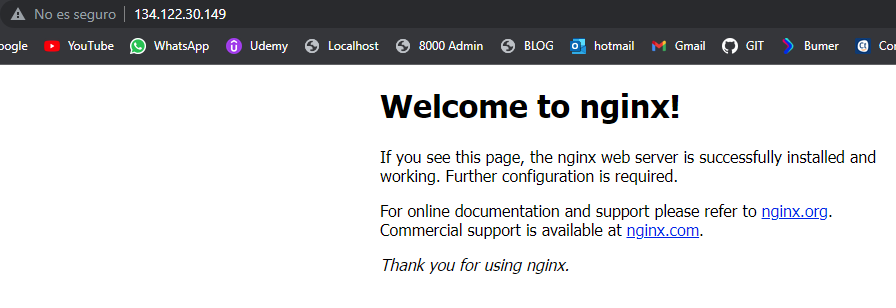
instalamos gunicorn teniendo activado el entorno
(entorno_blog) root@bardalesblog:/webapps/entorno_blog# pip install gunicorn
crear el siguiente archivo
(entorno_blog) root@bardalesblog:/webapps/entorno_blog/bin# touch gunicorn_start
lo editamos con nano
(entorno_blog) root@bardalesblog:/webapps/entorno_blog/bin# nano gunicorn_start
y el archivo debe quedar asi o similar
#!/bin/bash

NAME="blog"                                  # Name of the application
DJANGODIR=/webapps/entorno_blog/blog             # Django project directory
SOCKFILE=/webapps/entorno_blog/run/gunicorn.sock  # we will communicte using this unix socket
USER=root                                        # the user to run as
GROUP=root                                     # the group to run as
NUM_WORKERS=3                                     # how many worker processes should Gunicorn spawn
DJANGO_SETTINGS_MODULE=blog.settings.prod             # which settings file should Django use
DJANGO_WSGI_MODULE=blog.wsgi                     # WSGI module name

echo "Starting $NAME as `whoami`"

# Activate the virtual environment
cd $DJANGODIR
source ../bin/activate
export DJANGO_SETTINGS_MODULE=$DJANGO_SETTINGS_MODULE
export PYTHONPATH=$DJANGODIR:$PYTHONPATH

# Create the run directory if it doesn't exist
RUNDIR=$(dirname $SOCKFILE)
test -d $RUNDIR || mkdir -p $RUNDIR

# Start your Django Unicorn
# Programs meant to be run under supervisor should not daemonize themselves (do not use --daemon)
exec ../bin/gunicorn ${DJANGO_WSGI_MODULE}:application \
  --name $NAME \
  --workers $NUM_WORKERS \
  --user=$USER --group=$GROUP \
  --bind=unix:$SOCKFILE \
  --log-level=debug \
  --log-file=-
le damos permisos
(entorno_blog) root@bardalesblog:/webapps/entorno_blog/bin# chmod u+x gunicorn_start
deberia cambiar el color del archivo gunicorn_start
ahora crear o modifica el archivo settings/prod.py
from .base import *
# SECURITY WARNING: don't run with debug turned on in production!
DEBUG = True

ALLOWED_HOSTS = ['*']

# Database
# https://docs.djangoproject.com/en/2.2/ref/settings/#databases

DATABASES = {
    'default': {
        'ENGINE': 'django.db.backends.postgresql_psycopg2',
        'NAME': 'blogdb',
        'USER': 'neunapp',
        'PASSWORD': 'neunapp2020',
        'HOST': 'localhost',
        'PORT': '5432',
    }
}
# Static files (CSS, JavaScript, Images)
# https://docs.djangoproject.com/en/2.2/howto/static-files/

STATIC_URL = '/static/'
STATICFILES_DIRS = [BASE_DIR.child('static')]
STATIC_ROOT = BASE_DIR.child('staticfiles')

MEDIA_URL = '/media/'
MEDIA_ROOT = BASE_DIR.child('media')

# CKEDITOR SETTINGS
CKEDITOR_UPLOAD_PATH = 'uploads/'
CKEDITOR_IMAGE_BACKEND = 'pillow'
CKEDITOR_JQUERY_URL = 'https://ajax.googleapis.com/ajax/libs/jquery/2.2.4/jquery.min.js'

CKEDITOR_CONFIGS = {
    'default': {
        'width': 'full',
        'height':'350',

        'toolbar': 'Custom',
        'toolbar_Custom' : [
            ['Bold', 'Italic', 'Underline'],
            ['NumberedList', 'BulletedList', '-', 'OutIdent', 'Ident', '-', 'JustifyLeft', 'JustifyRight', 'JustifyCenter'],
            ['TextColor', 'Format', 'FontSize', 'Link'],
            #['Smiley', 'Image', 'Iframe'],
            ['Image', 'Smiley', 'Iframe'],
            ['RemoveFormat', 'Source'],
        ],
        'stylesSet':[
        ],
    },
        'special':{
        'toolbar':'Special',
 #You can change this based on your requirements.
        'width': '100%',
        'height':'350',
        'toolbar_Special':[
        # ['Bold','CodeSnippet'],
        ['Bold', 'Italic', 'Underline'],
            ['NumberedList', 'BulletedList', '-', 'OutIdent', 'Ident', '-', 'JustifyLeft', 'JustifyRight', 'JustifyCenter'],
            ['TextColor', 'Format', 'FontSize', 'Link'],
            #['Smiley', 'Image', 'Iframe'],
            ['Image', 'Smiley', 'Iframe'],
            ['RemoveFormat', 'Source'],
              ['CodeSnippet'],
              ['CodeSnippet'],
        ],
        'extraPlugins':'codesnippet',
    }
}

# EMAIL SETTINGS
# EMAIL_USE_TLS = True
# EMAIL_HOST = 'smtp.gmail.com'
# EMAIL_HOST_USER = get_secret('EMAIL')
# EMAIL_HOST_PASSWORD = get_secret('PASS_EMAIL')
# EMAIL_PORT = 587
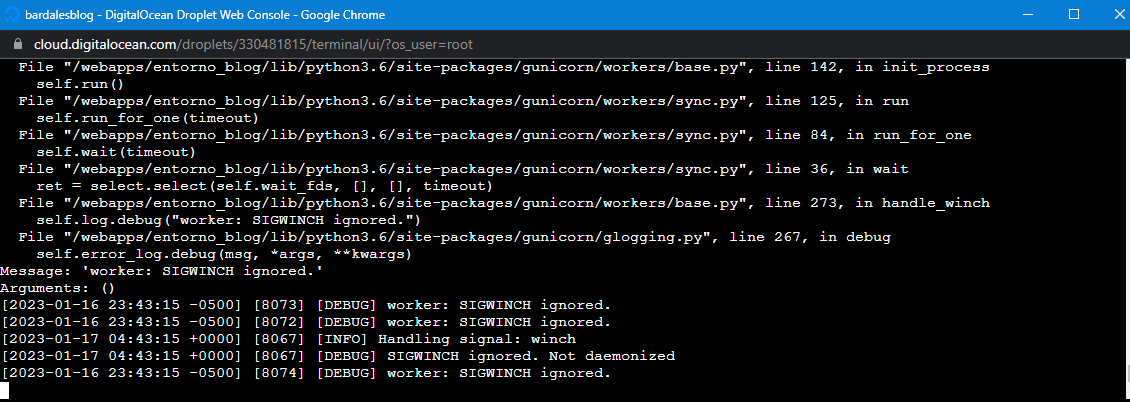
luego ejecutamos el gunirocrn
(entorno_blog) root@bardalesblog:/webapps/entorno_blog/bin# gunicorn_start
Última modificación: 17 Jan 2023 01:09

No hay comentarios aún